
One-pagers
One US Letter page about one offer, sent by sales as a PDF and built from the site's type, colours and line art.
A one-pager is a single US Letter page about one offer that sales sends to a prospect or a partner: a co-sell sheet, a product sheet, a leave-behind after a meeting. It goes out as a PDF, gets forwarded, and is often the only thing a buyer reads before a second call. It has one job: make the reader want that call.
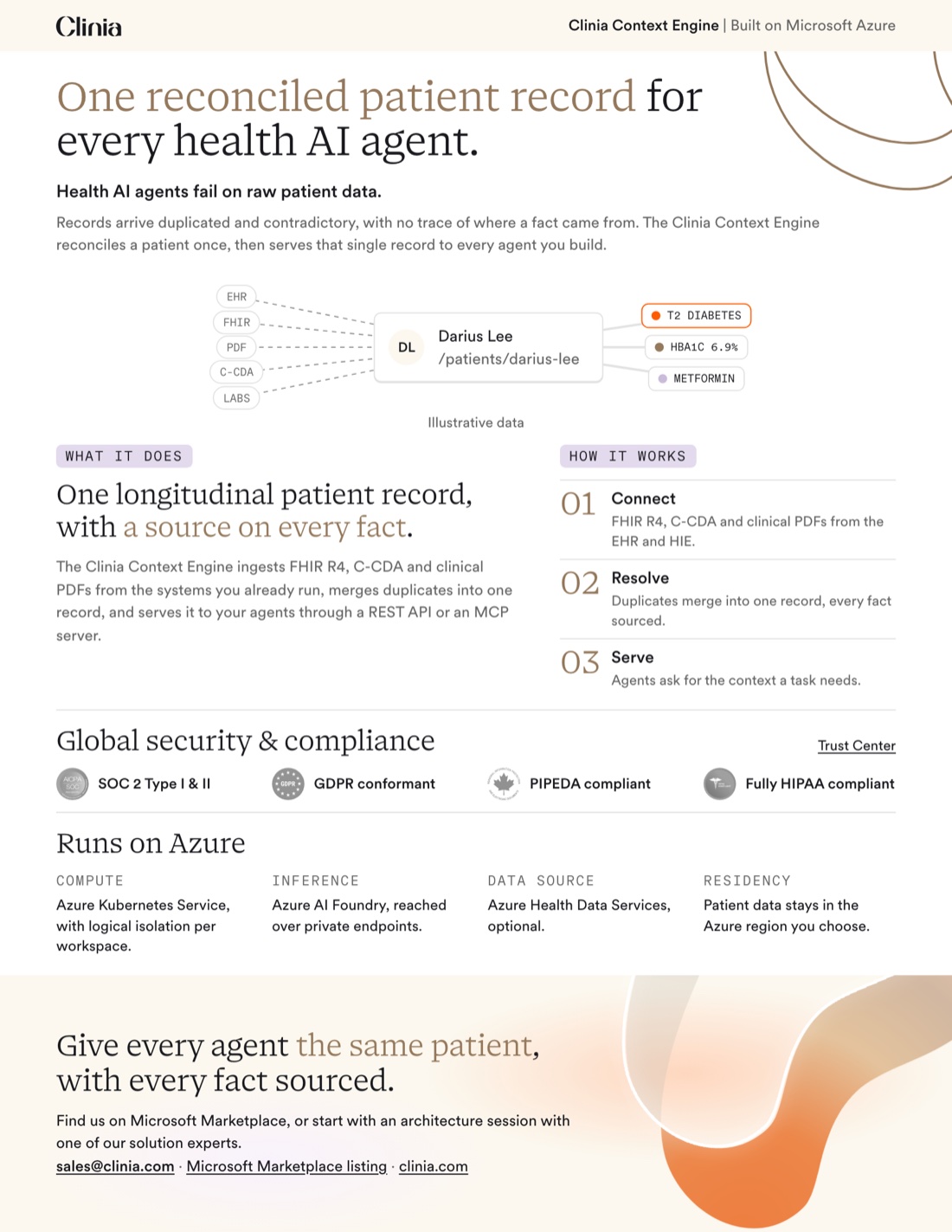
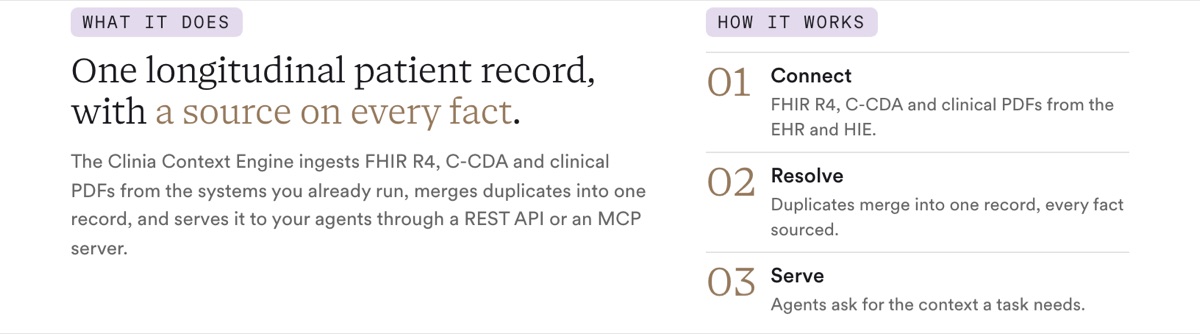
The Clinia Context Engine one-pager for Microsoft Azure is the reference: every one-pager has the same parts in the same order.
One-pager or deck
| Use | When |
|---|---|
| One-pager | The reader is on their own: after a meeting, in a partner's seller portal, attached to an email. One offer, read in two minutes, no presenter. |
| Deck | Someone presents it, or the reader needs the full story: the problem in depth, a demo, a comparison, pricing. See Presentations. |
When both exist for the same offer, the one-pager uses the deck's words: the same step names, the same problems, the same product terms.
How to get one made
A one-pager is made with Claude, not by hand: the page is rendered from this site's type, colours and line art, so there is no template file to copy. Start by drafting your copy against the reference one-pager and the parts below, then hand it to Claude with your sources.
Ask Claude in the clinia/ui repository: "Make a one-pager for the Clinia Context Engine on Microsoft Azure, from this Notion page and the deck." Claude confirms the offer, the reader and the sources, writes the copy, renders the page and checks that it fits, then posts it to #content-review.
In Claude Desktop, the clinia-one-pagers skill is one of Clinia's enterprise skills; to add it yourself, download it and upload it under Skills in Claude Desktop's settings. It writes the copy as a plan, and the PDF is then made in the repository.
To change a one-pager, ask for the change and Claude renders it again.
Who approves it
Marketing, in #content-review, before it is sent. A one-pager leaves Clinia and follows the same claims rules as the website. A co-branded page also needs the partner's approval of their name and logo; see Co-branding.
What makes a good one
- One offer. Two products are two one-pagers.
- A promise, then proof. The headline states what the reader gets; the three problems show the reader their own situation; the steps show how it works.
- Written to the customer. The page speaks to the reader as "you": "every agent you build", not "every agent a customer builds". A partner's seller may pass it on, but the customer is the one who reads it.
- Words the reader already knows. The companion deck's terms, the reader's vocabulary, no internal names. The page names the platform, such as "Built on Microsoft Azure", never an internal program such as "co-sell".
- Real proof or none. A customer name or an outcome figure appears only once it's approved. Until then, the page goes out without it rather than with a placeholder.
- The approved compliance badges. The four badges with their approved titles and lines, word for word. See Security & compliance.
- One clear next step. The closing band names one action and one contact.
- Readable on paper. Nothing under 9pt (a scene's small labels excepted), and every line of text meets WCAG AA contrast.
What a one-pager has
Every one-pager has these parts, in this order, shown here on the reference. A part with nothing true to say is left out, except the header, the headline and the closing band. A one-pager may also add a line on whom to bring it to, with the signals that show a good fit.






Do and Don't
Do
- Cut copy until it fits. The page never shrinks its type to make room.
- Leave out a section with nothing true to say. Capabilities, facts about where it runs, and whom to bring it to are optional.
- Keep the emphasis to a few words of the headline, the claim or the closing line.
Don't
- Add a dashed box, "coming soon" or "goes here" text for missing proof.
- Use Vital
or orange, glows, arcs, icons or photos. A Trustline beside the headline and the brand band in the closing band are the page's only decoration; an approved scene may show the product. - Claim a certification that isn't on trust.clinia.com, or put a long marketplace link on the page: name the listing in words.